
Comparison
Lightroom alternative without a subscription
Adobe charges every month for as long as you want to look at and edit your own pictures. Lightroom Classic is good, no question. The question is what you actually use it for, and whether that part is worth a subscription.
What you really use Lightroom for
Lightroom Classic is an image manager with a catalog, and a darkroom. Anyone who uses both to the full - masks, retouching, panoramas, tethering, book and print - has a powerful tool and should stay with it.
For many, though, the daily reality looks like this: read in the card, go through a few thousand shots, flag the good ones, throw away the rest. Fix the exposure, crop, maybe add a look. Export. For that you pay a subscription that carries everything else along - and you pay with time on top.
What the catalog costs in time
Before Lightroom shows a picture, it wants to import: take files into the catalog, render previews. That is the price of collections and keyword search. But it is charged even when you only want to look.
Then there is the wait while paging. How long an image takes depends on camera, machine and settings, so we won't name a number. Put in your own:
| Wait per image | at 2,000 shots | at 10,000 |
|---|---|---|
| 0.3 seconds | 10 minutes | 50 minutes |
| 0.5 seconds | 17 minutes | 1 hour 23 |
| 1 second | 33 minutes | 2 hours 47 |
Half a second sounds like nothing. But it is charged a thousand times, every time right when you are trying to decide. And before all that comes the start: on our test machine, a fast one with plenty of RAM, it took roughly ten seconds from double-click to working in Lightroom Classic.
 Short · YouTube
What half a second of waiting really costs
Watch video →
Short · YouTube
What half a second of waiting really costs
Watch video →
What FlashView does differently
FlashView has no catalog. You open a folder and the picture is there instantly. Even with a hundred thousand photos, across every subfolder, without anything being read in first.
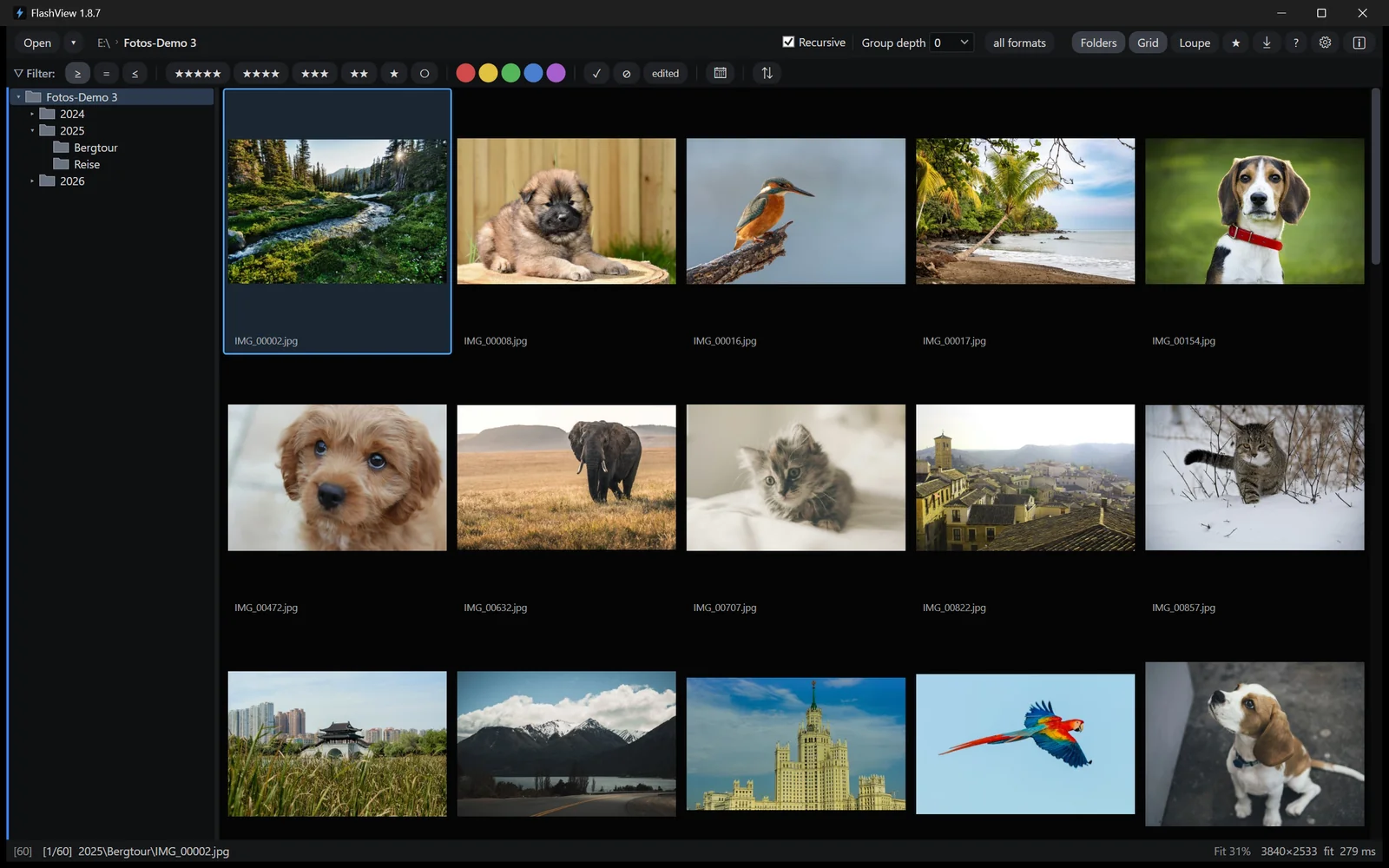
It covers the whole chain from above:
- Ingest - from the card into dated folders, with templates for folder and file names and a verified copy.
- Browse - scroll through tens of thousands of shots, no stutter, no waiting.
- Cull - stars, color labels, pick and reject, one keystroke per image.
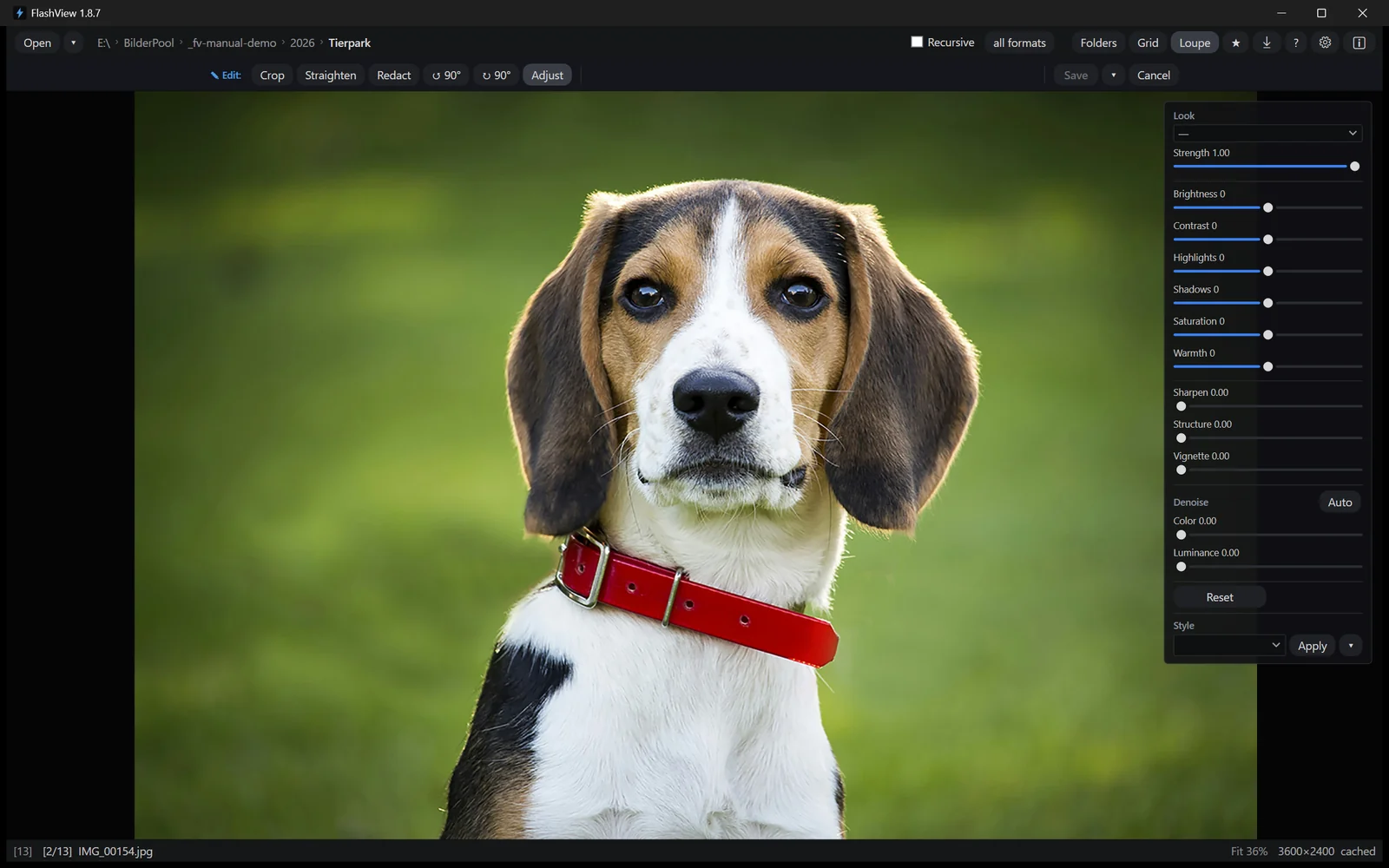
- Edit - non-destructively: sliders, looks, crop. The original stays untouched.
- Export - finished JPEGs at the size and quality you need.
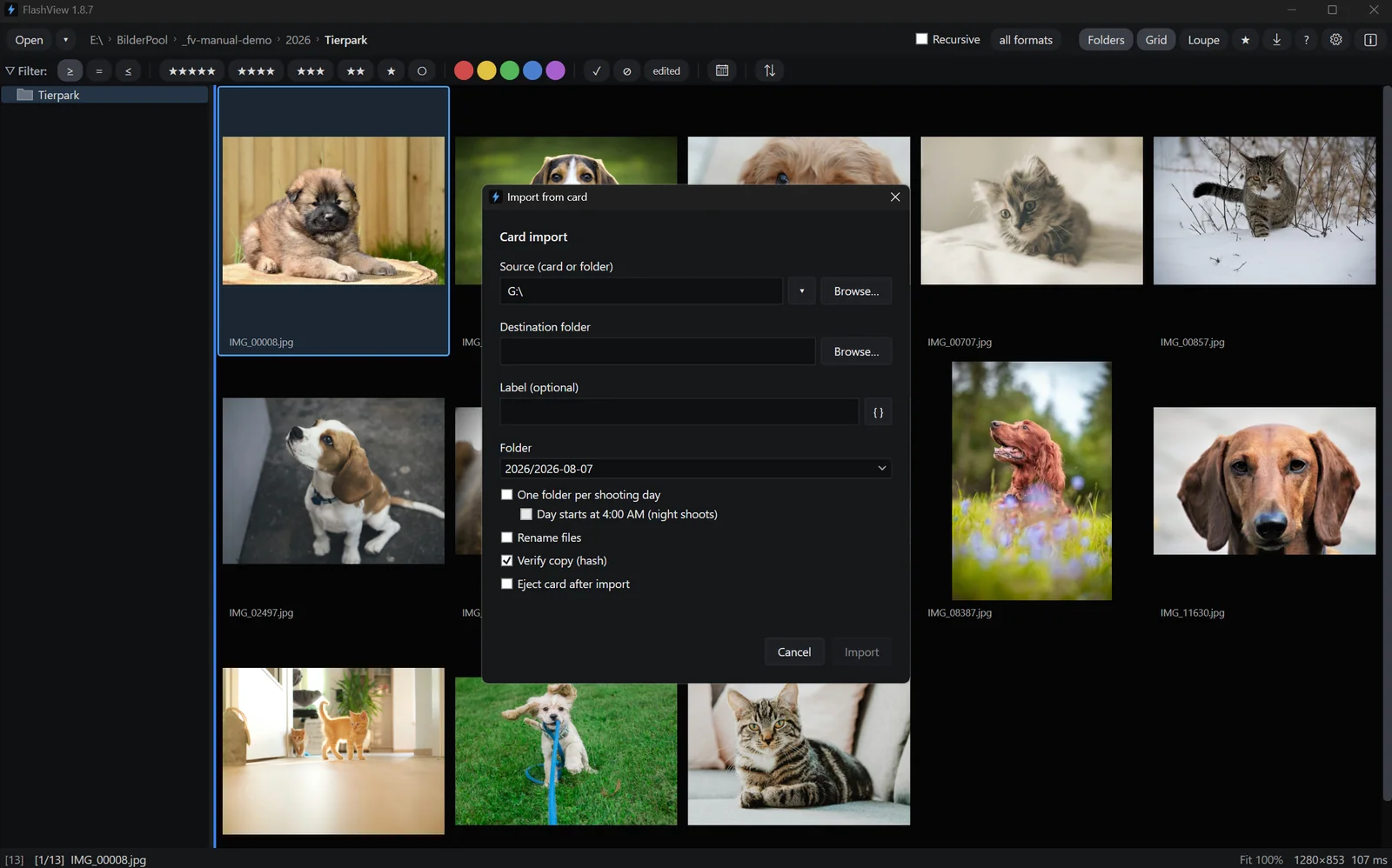
Two things Lightroom can't do at all. First, browsing your archive: whatever you want to see has to go into the catalog first. With FlashView you point at the top folder and go through everything below it - with an archive sorted by year, that's twenty years in one go. Filtering by date, camera, lens, stars and colors works across the whole tree, no database needed.
Second, the quick look in between: double-click a file in Explorer, the picture is there. For years, many people had a second viewer installed next to Lightroom for that. FlashView is both.
Where your ratings end up
FlashView writes stars, color labels and picks immediately as standard XMP beside the file. Readable in Lightroom, Bridge and Capture One - your work is not locked in.
Lightroom keeps them in the catalog at first. They only reach the file once somebody triggers Save Metadata to File. Forget that and lose the catalog later, and your culling is gone with it.
Because everything lives in the file system, Nextcloud, Dropbox or OneDrive just work. FlashView works directly in the sync folder; files that are only in the cloud get a small cloud icon and are fetched when you need them.
Where Lightroom stays ahead
FlashView cannot do:
- Masks, AI selection and retouching - editing subject or sky separately, healing brush, cloning.
- Panorama and HDR merging from several shots.
- Tethering - shooting straight to the computer.
- Catalog features - keyword hierarchies, face recognition, collections, images on drives that aren't connected.
- Tablet and phone - there is no FlashView app.
- Book, print, slideshow.
If you need any of that regularly, stay with Lightroom. If you mask three images a month, you're paying an annual subscription for it - and waiting on a catalog the rest of the time that you wouldn't need for those three.
Side by side
| Criterion | Lightroom Classic | FlashView |
|---|---|---|
| Time to the first image | import and preview building | open a folder, picture is there |
| Large archives | catalog overhead | 100,000+, across all subfolders |
| Browsing your archive | only what's in the catalog | across the whole tree, no import |
| As a Windows image viewer | no | double-click in Explorer |
| Rating and culling | possible, but sluggish | one keystroke per image |
| Ratings in the file | only on manual request | immediately, as XMP |
| Basic development | comprehensive | sliders, looks, crop |
| Masks, retouching, merge | yes | no |
| Cost | subscription, ongoing | one-time purchase |
What it costs over three years
Since the small photography plan was dropped, the cheapest way to Lightroom is the plan with 1 TB: 23.79 euros a month, a good 285 a year. Reseller codes go lower depending on the offer - a one-year code for around 115 euros is real, we bought one. Photoshop is included; if you need it, you're comparing differently anyway.
| Route | per year | over three years |
|---|---|---|
| Photography plan (1 TB), list price at Adobe | 285 € | 855 € |
| the same through resellers | from around 115 € | from around 345 € |
| FlashView | n/a | one-time purchase |
And when the subscription ends, access ends. A license keeps running.
Who the switch is worth it for
Yes, if you work through and cull large archives, rarely need more than exposure, crop and a look, work on Windows and don't want a subscription.
And if you keep Lightroom, you can still use FlashView next to it - as the fast image viewer: double-click in Explorer, page through folders, no import.
Try it yourself
FlashView runs for 60 days, complete and free, with no registration. The most honest test is your own archive. Go to the download - after that a one-time purchase, no subscription.